Team Project: Social Media Platform
Technologies: Django, Django REST Framework, TypeScript, MySQL, AWS, Docker, Jenkins
Project information
- Category: Full Stack Web Application
- Customer: M.Sc. Project for Class "Software Development As a Team"
- Project date: September, 2024 - December, 2024
- Contributions: User Reporting, Achievement Badges, Custom Badges, Enumeration, Wikidata Connection (SparQL Queries to Wikidata API), Documentation, Mockups
Community Based Social Media Platform Project
In this project, I worked in a team of 7 people to develop a social media platform. I developed fullstack features for the project. Project team used Django for Backend, TypeScript for Frontend, Django REST Framework to create APIs and MySQL as the database. The project is Dockerized and Deployed on AWS platform. The project had CI/CD integration based on Jenkins. The project was developed in 4 months and we used Agile methodology to manage the project.
Personal Contributions
In this page, I will summarize the reason, rationale, logic and solution aspects of the work that I have contributed to the team, feature by feature.
In terms of coding, my main approach has been to understand and follow the system architecture and create a fitting solution, in terms of how the original creator, Mehmet, established backend, database, API and frontend elements. Thanks to this approach, I successfully handled multiple challenging tasks in this project.
For the explanations regarding the features, I will refer to the requirements in the SRS: Software Requirements Specification
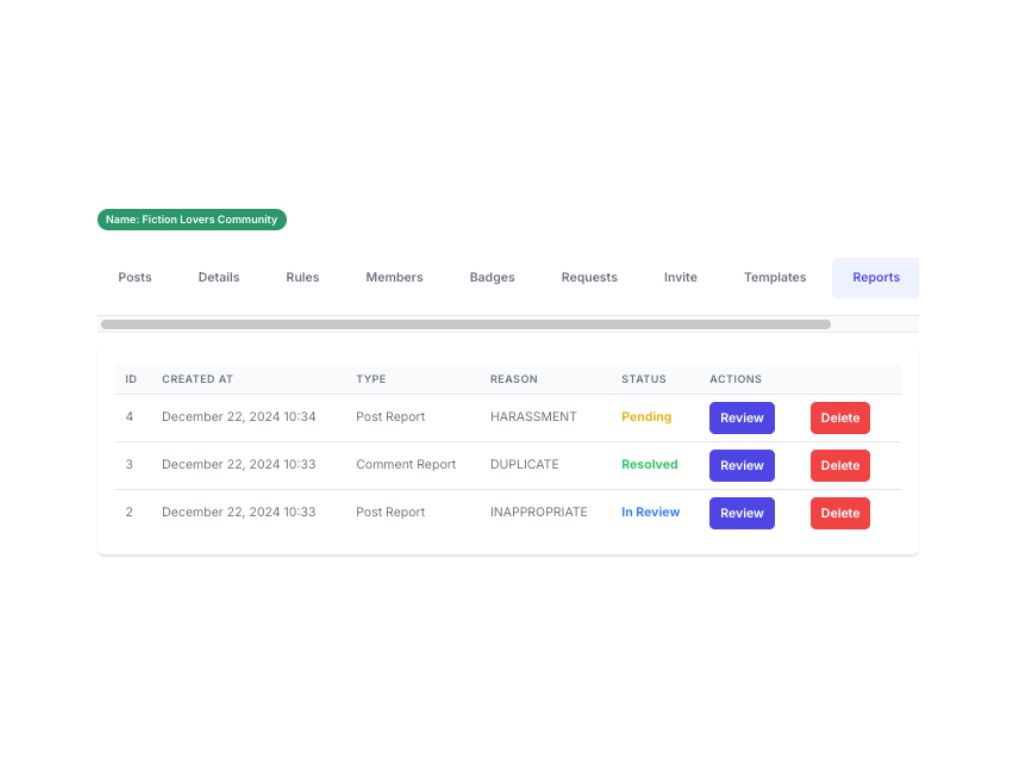
Reporting Functionality
(SRS, Section 17), is an important feature which requires challenges such as recording the abused content (specific post/comment), passing the “reported” and “reporter”, and a management aspect for the community managers.
For this task, I want to highlight that I handled various complexities with a single “Reports” backend model, then on the front end, provided both users and admins with usable forms and dashboards to engage with the functionality.
System Wide Badges
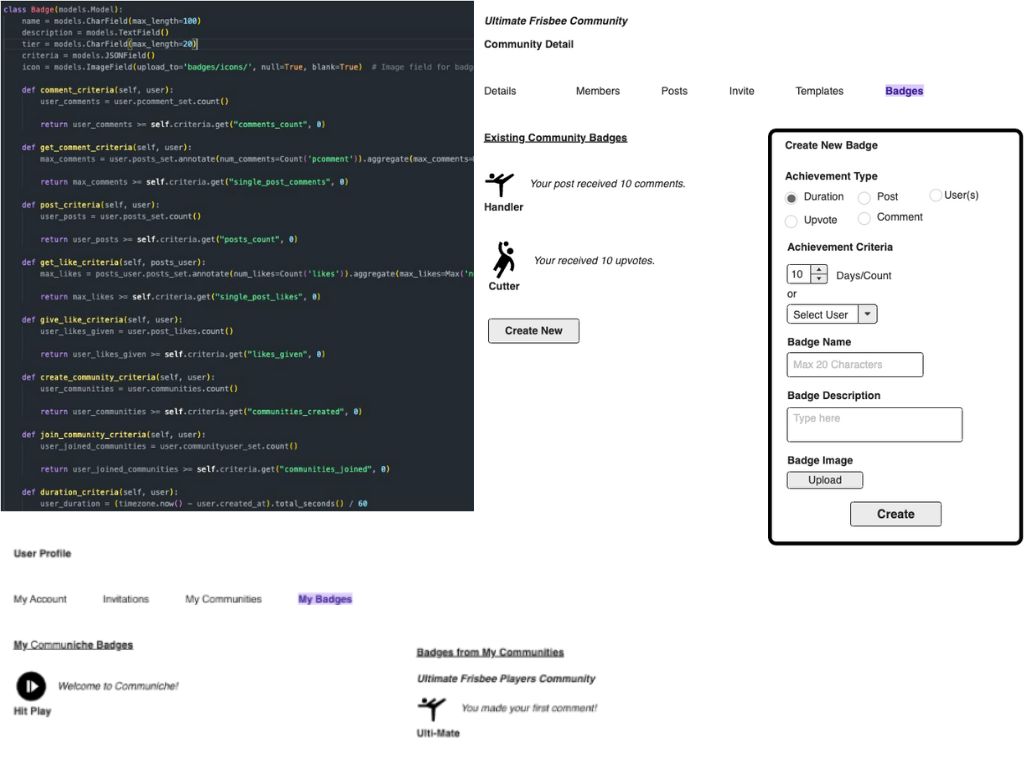
(SRS, Section 15.1), was not initially assigned to me; however, it turned into my passion project after I took it over. Badges have always been among the emphasized requirements by the customer, and I used my imagination to perfect it, even in the early days; for reference, you can see the mockups I created in user scenarios :
I find it very insightful that while drawing the mockups, I developed an understanding of the logic and design of badges.
In the project, badges were originally being created by another team member. The task came out as requiring fixes: when a badge was achieved, all the other badges were also being assigned. On the other hand, there were only 5 types of badges.
I volunteered to take over and work on the badges for a fix, where I also convinced my teammates that a better design would go a long way.
Community Specific Badges
(SRS, Section 15.2) was kickstarted by another member while I was perfecting the System-Wide Badges. However, because my implementations brought System-Wide Badges to a certain level, I decided to jump in and bring Community Specific Badges to the same level. In the early days of the project, I envisioned and created the mockup of Community Specific Badge creation as below:
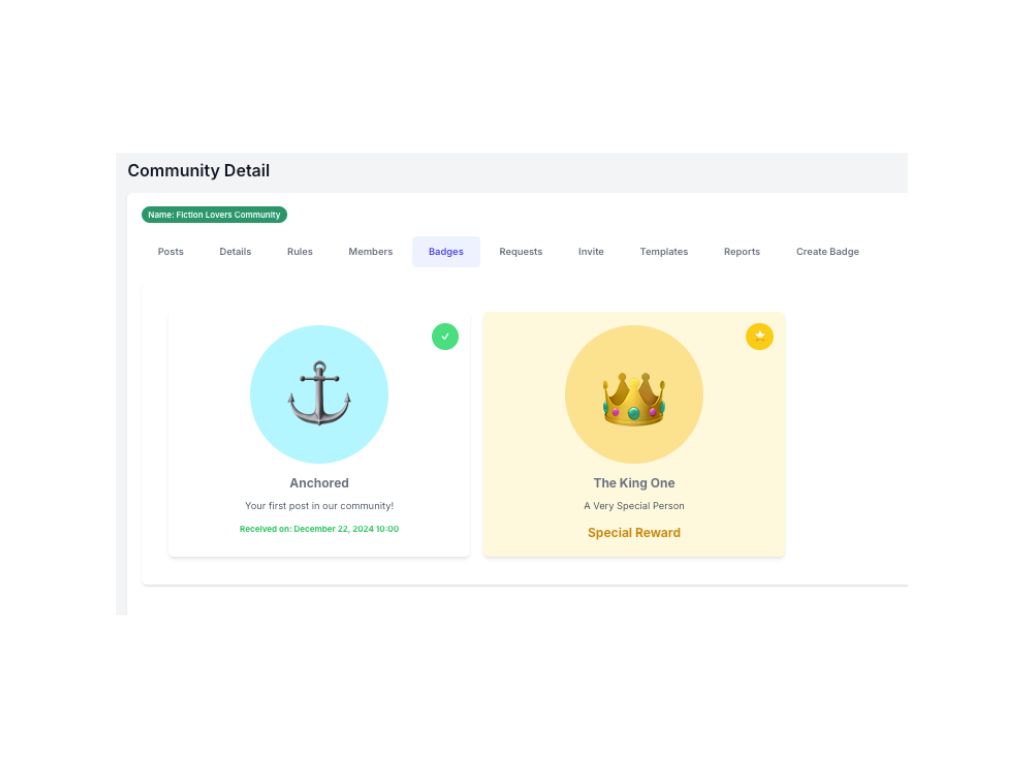
Firstly, I adapted the existing badge assignment logic to a customized-community specific approach, then adapted the system-wide user badge view design to the community. Then, I decided that there needed to be more customization for this type of feature. My teammate already created a badge creation form; however, I envisioned that more customizability would provide better user experience. In this line of thought, I made use of a long list of emoticons as badge icons, and also background color options. These seemingly small additions made a big difference in experience, as approved by the team.
Additionally, I created the “Special Reward” which can be assigned to a user in a community, regardless of achievements. The end view of this task looks like this:
Badges on User Profiles
(SRS, Section 15) Both during and after badge-related implementations; I made sure that these achievements are visible on the user’s profile page. Importantly, I made sure that Special Rewards made the user feel like a “star”:
Enumerated Field Type
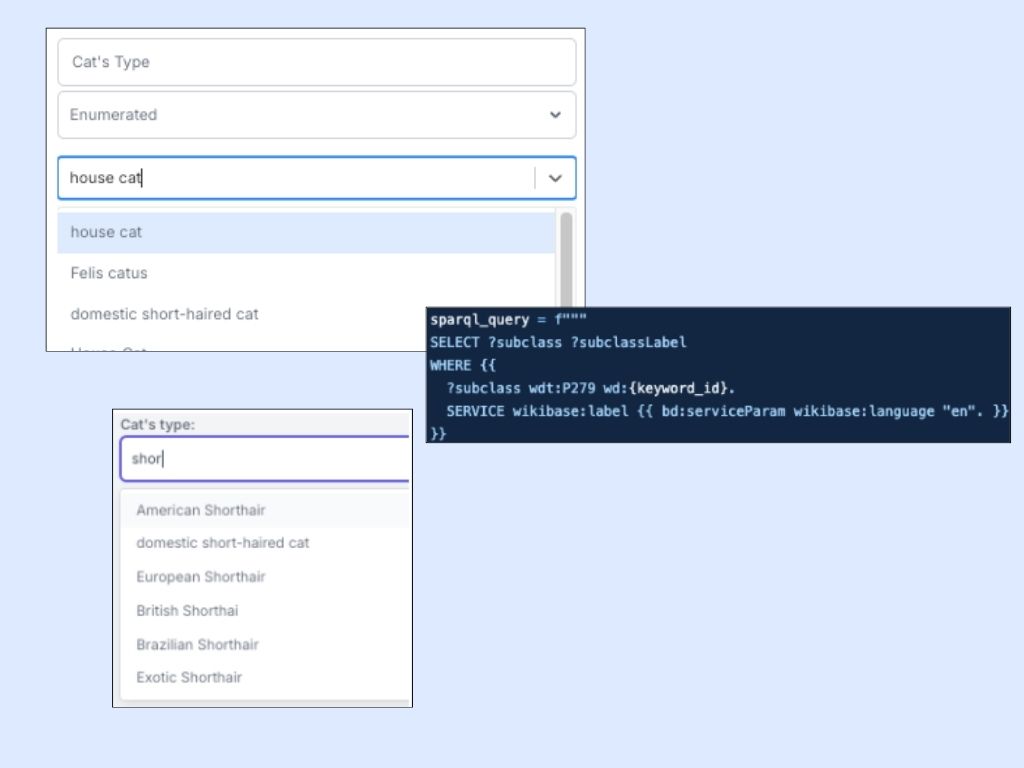
Enumerated Field Type is among the often mentioned requirements by the customer. In order to make this possible, I needed to make sure both template and post creation forms would work fine with the functionality. Additionally, I envisioned using Wikidata tags to base enumeration on. In the backend logic, I used 2 API connections to Wikidata; one for fetching entities for keywords, so that the community admin can select an existing entity relevant to the keyword for enumeration, the other is to populate enumerated field options based on the selected keyword entity. The first one is a straightforward keyword search in Wikidata:
In the second part, I send a SparQL query to the Wikidata (which is made to a different endpoint: https://query.wikidata.org/sparql) to populate the label fields of subclasses of the selected entity:
For example, if “house cat” is selected (Q146), then enumerated field options would be limited to types of house cats: